




BUG REPORT
Cell Machine
Players who enjoyed Cell Machine also loved these
Hot titles being played across the platform
 HOT
HOT
 HOT
HOT
 HOT
HOT
 HOT
HOT
 HOT
HOT
 HOT
HOT
 HOT
HOT
 HOT
HOT
 HOT
HOT
 HOT
HOT
 HOT
HOT
 HOT
HOT
 HOT
HOT
 HOT
HOT
 HOT
HOT
 HOT
HOT
 HOT
HOT
 HOT
HOT
 HOT
HOT
 HOT
HOT
Pick another awesome game and continue playing




















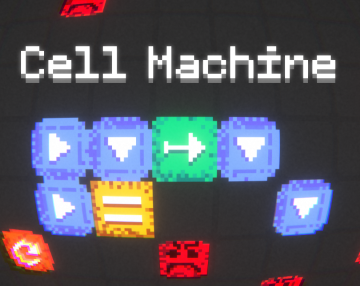
Cell Machine is one of those deceptively simple puzzle games that quietly eats your entire lunch break. You start with a tiny grid, a few arrows, and a single goal: get your cells to the exit. Sounds easy, right? Then the levels start throwing walls, immovable blocks, and chain reactions at you, and suddenly you're five minutes deep into a "just one more try" spiral.
The premise is basically programming without the code. Each cell you place follows a simple rule — push it, and it moves. Push it into another cell, and that one moves too. Stack enough of these interactions and you get a satisfying domino effect that clears the board in one clean shot. It's the kind of logic puzzle that rewards experimentation, and it's become a favorite among players hunting for a fresh unblocked game that actually makes them think.
Your objective is straightforward: guide every required cell to the goal tile. The catch is that cells don't stop moving until something blocks them. A cell sliding right will keep going until it hits a wall, a solid block, or another cell. That means every move you make ripples across the whole grid, so planning two or three steps ahead is essential.
On desktop, you'll use your mouse to place and remove cells, with left-click to add and right-click to delete. Some versions support keyboard shortcuts for quick level resets. On mobile, it's all tap-based — tap a tile to place a cell, tap again to remove it. The interface is clean and touch-friendly, so it works just as well on a phone as it does on a school Chromebook.
Each level gives you a limited set of tools: arrows that push in a direction, generators that spawn new cells, and sometimes blockers you need to work around. Figure out the order of operations, hit play, and watch your chain reaction unfold.
1. Plan the final move first. Before you place anything, look at where your cells need to end up. Work backwards from the goal tile. Most players fail because they build forward and trap themselves.
2. Use walls as tools, not obstacles. A wall stops a sliding cell in its tracks. That's often exactly what you need to line up a clean shot into the exit. Don't see walls as enemies — see them as brakes.
3. Test with the reset button, not your patience. If a setup looks wrong, reset immediately and try a different configuration. Cell Machine rewards fast iteration, so don't get attached to a broken layout.
Yes, it's completely free and playable right in your browser. No account, no download, no nonsense.
Absolutely. It's a lightweight browser game that runs smoothly on Chromebooks and school laptops. It's a popular pick among unblocked games for school because it loads fast and doesn't need any plugins.
Yes, the sandbox mode lets you design your own puzzles from scratch. It's a great way to understand the mechanics on a deeper level — and to torture your friends with impossible levels.