BUG REPORT
Perfect Peel
Players who enjoyed Perfect Peel also loved these














Hot titles being played across the platform
 HOT
HOT
 HOT
HOT
 HOT
HOT
 HOT
HOT
HOT
HOT
 HOT
HOT
 HOT
HOT
 HOT
HOT
 HOT
HOT
 HOT
HOT
 HOT
HOT
 HOT
HOT
 HOT
HOT
 HOT
HOT
 HOT
HOT
 HOT
HOT
 HOT
HOT
HOT
HOT
 HOT
HOT
 HOT
HOT
Pick another awesome game and continue playing














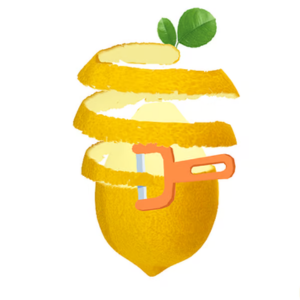
Ever peeled a sticker off a surface and felt that oddly satisfying rush when it comes off in one clean strip? Perfect Peel turns that tiny everyday thrill into a full-blown brain teaser. The premise is dead simple: you're given a shape covered in layers, and your job is to peel each one away in the right order without tearing, overlapping, or leaving leftover scraps behind.
It sounds easy until the layers start tangling with each other. One wrong move and your perfect strip turns into a jagged mess. That mix of simplicity and sneaky difficulty is exactly why Perfect Peel has become a go-to pick on classroom games unblocked lists — teachers love it for quick brain breaks, and students love it because it looks chill but quietly melts your concentration. It's the kind of puzzle that makes you say "just one more try" about fifteen times in a row.
Your objective is straightforward: remove every layer from the shape in the correct sequence, leaving a clean, empty surface. Each level adds more layers, tighter overlaps, and trickier shapes that force you to think two or three steps ahead.
On desktop, you'll typically use your mouse to click and drag across a layer to peel it away. Some versions let you use the arrow keys to select layers and the spacebar to confirm a peel. On mobile, it's all about touch and swipe — drag your finger along the layer's edge and lift it off in one smooth motion.
The catch? Layers that cross over each other must be peeled in the right order. Pull the wrong one first and the whole stack locks up, forcing a restart. Patience beats speed here.
1. Scan before you peel. Before touching anything, trace the layers with your eyes and figure out which one sits on top. The topmost layer is almost always your first move — start there and work downward.
2. Follow the edges, not the middle. Peeling from a corner or edge gives you a cleaner strip than yanking from the center. It mirrors real-life peeling and keeps your timing consistent.
3. Slow down on crowded levels. When three or four layers overlap in one spot, rushing guarantees a tear. Make one deliberate move, watch how the stack shifts, then plan your next peel.
Yes — it's a browser-based puzzle game you can play for free. It shows up frequently on unblocked games 67 and unblocked games premium 77 style portals, so you can load it up at school or work without installing anything.
Absolutely. The touch controls are just as smooth as the desktop version, making it a great pick for unblocked games g searches when you're on a tablet or phone during a break.
Most levels have no timer, so you can plan your peels carefully. A few challenge modes add a countdown for extra pressure, but the core game is all about relaxed, logical thinking.