BUG REPORT
Pixel Puzzles

Players who enjoyed Pixel Puzzles also loved these










Hot titles being played across the platform
 HOT
HOT
 HOT
HOT
 HOT
HOT
 HOT
HOT
 HOT
HOT
 HOT
HOT
 HOT
HOT
HOT
HOT
 HOT
HOT
 HOT
HOT
 HOT
HOT
 HOT
HOT
 HOT
HOT
 HOT
HOT
 HOT
HOT
 HOT
HOT
 HOT
HOT
 HOT
HOT
 HOT
HOT
 HOT
HOT
Pick another awesome game and continue playing



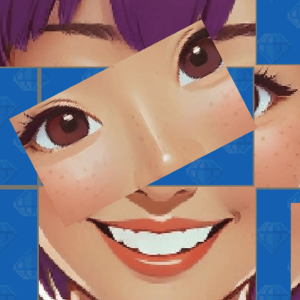








There's something weirdly satisfying about dragging a few chunky pixel blocks into place and watching a messy grid snap into a clean picture. That's the whole hook of Pixel Puzzles — a bite-sized logic game that mixes jigsaw instincts with sliding-tile brain teasers. Instead of glossy 3D graphics, it leans into a retro pixel-art aesthetic that feels like it crawled straight out of a 90s arcade cabinet, and honestly, that's part of the charm.
It's become a go-to pick for players hunting down classroom games unblocked during a free period, mostly because it loads instantly, doesn't need a beefy machine, and gives you a quick win without eating your entire afternoon. Whether you're killing five minutes or grinding through a hundred levels, Pixel Puzzles rewards patience over reflexes — and that's exactly why puzzle fans keep coming back.
The objective is simple on paper: rearrange scattered pixel tiles until they form the target image shown in the corner of your screen. Each level gives you a shuffled grid, and your job is to slide, swap, or rotate pieces until everything lines up. Early stages use tiny 3x3 grids, but don't get comfortable — later puzzles balloon into sprawling 6x6 nightmares with decoy tiles thrown in just to mess with you.
Controls are dead simple, which is why it works so well on school Chromebooks and library computers alike:
No downloads, no installs. Just open the browser and you're in.
1. Start from the corners. Corner and edge tiles have the fewest valid positions, so locking them in early shrinks the puzzle dramatically. Work inward from the frame instead of attacking the middle.
2. Group matching colors first. Before worrying about exact placement, cluster tiles that share a color palette. This gives you rough zones to work within and cuts down on random guessing.
3. Save your hints. It's tempting to tap that hint button the second you stall, but most "impossible" levels click after one more scan. Bank hints for the final three or four tiles, where brute-forcing takes forever.
Yes — it's completely free in your browser. No account, no paywall, no sketchy download prompts. Just load it and play.
Absolutely. It's a lightweight HTML5 game that runs on almost any device, which is why it shows up on sites like unblocked games wtf and unblocked games 77. Just keep an eye out for wandering teachers.
Most versions store your completed levels and best times locally in your browser, so you can pick up where you left off — as long as you don't clear your cache.